
Notebook PEA1.7 - Download
You'll be able to download in few seconds.
Publisher Description
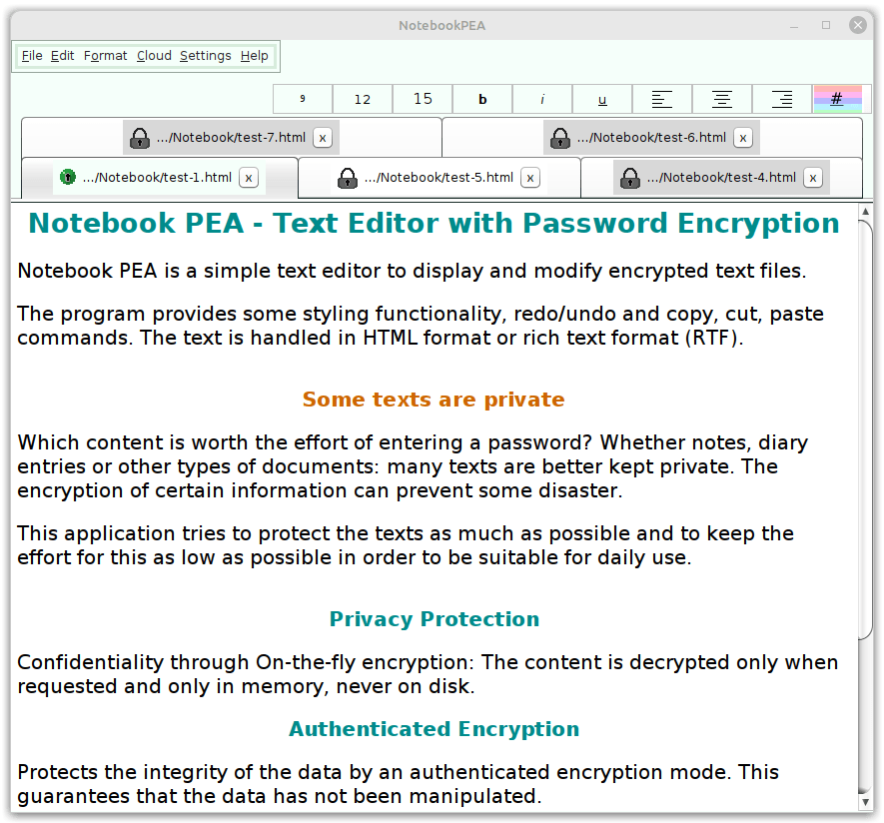
NotebookPEA is an open source password-encryption tool with a built-in text editor, that handles texts in Rich Text Format. The program provides editing functions like cut, copy, paste, undo, redo and some styling functionality. Besides Nextcloud and Owncloud, various cloud providers are supported.
Thanks to the embedded editor, the unencrypted text must be never stored on the hard disk, instead it is kept only in the random access memory (real-time encryption). Even if the computer crashes, the confidentiality of the texts is not at risk.
Several texts can be managed at the same time, not displaying texts remain encrypted in RAM.
The authenticated encryption mode (EAX) achieves both confidentiality and integrity of the text. The most serious weakness of password encryption programs, the vulnerability to custom-hardware attacks are countered by the memory-hard key derivation functions Catena-Dragonfly or Argon2. The default cipher is Threefish, the default hash function is Blake2b, but other algorithms are available such as the ciphers AES and the hash functions SHA-3.
The program provides a virtual keyboard to protect against key loggers, a proactive password-strength meter to give feedback while typing a new password, tables of characters to enlarge the character set and an internal pool of entropy to improve the random number generator.
NotebookPEA requires the Java Runtime Environment that is already installed on most systems. No further installation is required.
NotebookPEA is a Password Encrypting Archive (PEA), produced by the PeaFactory: It is small (about 2 MiB), round (standalone application) and green.
About Notebook PEA
This Encryption Tools program is available in English, German, Turkish, Spanish, French, Russian. It was last updated on 29 September, 2026. Notebook PEA is compatible with the following operating systems: Linux, Mac, Other, Unix, Windows.
The company that develops Notebook PEA is BeloumiX. The latest version released by its developer is 1.7.
The download we have available for Notebook PEA has a file size of 1.0 MB. Just click the green Download button above to start the downloading process. The program is listed on our website since 2022-05-29 and was downloaded 0 times. We have already checked if the download link is safe, however for your own protection we recommend that you scan the downloaded software with your antivirus. Your antivirus may detect the Notebook PEA as malware if the download link is broken.
How to install Notebook PEA on your Windows device:
- Click on the Download button on our website. This will start the download from the website of the developer.
- Once the Notebook PEA is downloaded click on it to start the setup process (assuming you are on a desktop computer).
- When the installation is finished you should be able to see and run the program.
Program Details
General
System requirements
Download information
Pricing
Version History
version 1.7
posted on 2022-05-29
Disclaimer
External Download
We do not host Notebook PEA on our servers. We did not scan it for viruses, adware, spyware or other type of malware. This app is hosted by the software publisher and passed their terms and conditions to be listed there. We recommend caution when installing it.
The external download link for Notebook PEA is provided to you by apps112.com without any warranties, representations or guarantees of any kind, so access it at your own risk.
If you have questions regarding this particular app contact the publisher directly. For questions about the functionalities of apps112.com contact us.
